
The swimbooker search page is the gateway to hundreds of fishing venues across the UK. Whether you’re looking for somewhere new to fish or want to check availability at your favourite lake, our search tools make it easy.
swimbooker features two types of venues:
-
Bookable Venues: You can book swims directly online — these are shown in blue.
-
Directory Listings: These venues are for browsing only and can’t be booked through swimbooker. They’re packed with info to help plan your trip and are shown in green.
We’re adding 10+ new venues every month, so check back often — directory venues may soon become bookable! 🚀
🖥️ Searching on the Web
Head to the swimbooker homepage and enter a keyword in the main search bar, or click Browse all lakes.
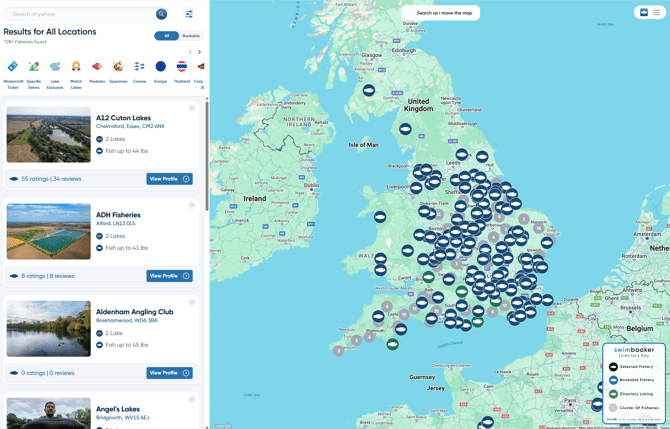
On the search page, use the map view to explore.
-
-
Blue icons = Bookable venues ✅
-
Green icons = Directory listings 📚
Click the Advanced Filters icon next to the search bar to filter by:
-
Booking types (Day ticket, Lake Exclusive, etc.)
-
Venue facilities (parking, toilets, showers...)
-
Fish species and weights 🐟
-
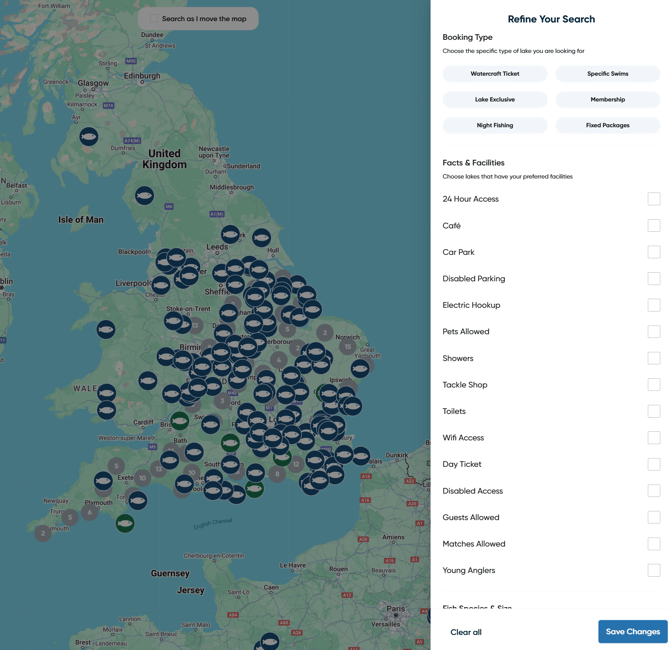
Just below the search bar is a toggle to view bookable or directory venues.
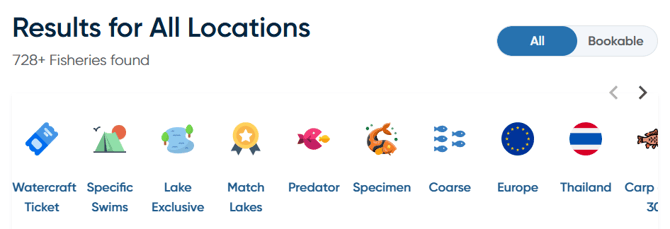
Scroll down to find the Quick Links bar — a powerful way to instantly narrow your search. You can:
-
-
Select multiple filters together (like “Specimen” + “Lake Exclusive”)
-
Remove filters by clicking them again ✨
-
Once you’ve found a venue you like, click View Profile to learn more and book if available.
💡 Pro Tip: The search engine works best with keywords like venue names, regions, towns or postcodes. Try “Kent”, “Yateley”, or "Sandhurst Lake" for better results!
📱 Searching on the Mobile App
-
Open the swimbooker app and tap Search in the bottom navigation bar.
-
All venues on the mobile app are bookable only — no directory listings here, so everything shown can be booked directly! 📲
-
Enter keywords in the search bar at the top.
-
To clear your search and view all venues again, tap Clear Results.
-
-
Swipe left/right on the venue tabs to see their location on the map.
-
Prefer a list view? Just swipe up from the bottom of the screen to browse venues as a scrollable list 📄
-
You’ll see Quick Links here too — great for narrowing your options fast.
-
Tap on any venue tab from the map or list to open its profile and make a booking.
.jpeg?width=277&height=600&name=download%20(3).jpeg)
Still need help finding the perfect venue? Get in touch with support anytime 😊