
Creating a swimbooker account is quick, easy, and completely free 🎣. With an account, you'll be able to book swims online, leave reviews, upload your catch reports, and manage all your bookings in one place. Best of all — we don’t charge any fees to create an account or to book!
🖥️ Creating an Account on the Web
-
Head over to the the swimbooker homepage and click the Create Free Account button.
-
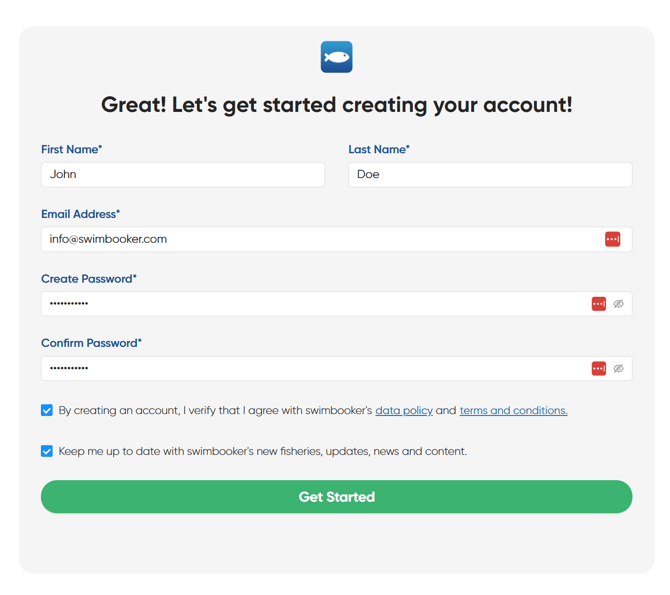
Fill in your name, email address, and choose a secure password.
-
Once submitted, check your email inbox for a confirmation message.
-
Open the email and click the button inside to verify your address ✅
-
You’re all set! You can now log in to the swimbooker website using your email and password.
📱 Creating an Account on the Mobile App
-
Download the swimbooker app from the Apple App Store or Google Play Store 📲
-
Open the app and tap through the welcome screens.
-
When you reach the homepage, tap MySB in the bottom navigation bar.
-
You’ll see a big blue button that says Sign In.
-
Just below, you’ll see the line “Don't have an account? Create one.” Tap that!
-
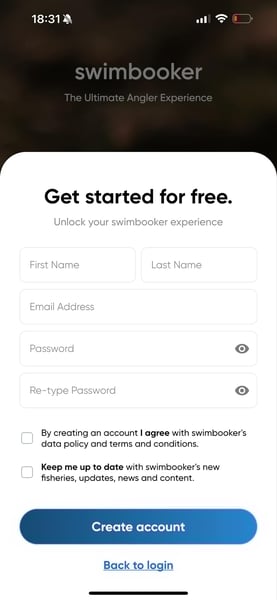
Follow the simple steps to enter your details and create your account.
-
That’s it — welcome aboard! 🎉
Need Help?
Still stuck? We'd be more than happy to support you! Simply contact support@swimbooker.com or ring us on +44 02081949396 for further assistance (weekdays between 9:00AM - 17:00PM).
😊